
Salary module
Month-end salary without a second spreadsheet
Every salaried person's monthly figure is built from the same record the month was actually worked in: days present, weekly offs, holidays and the leave an admin approved. Nothing is added up a second time on a sheet at the side.
Last reviewed: September 2026
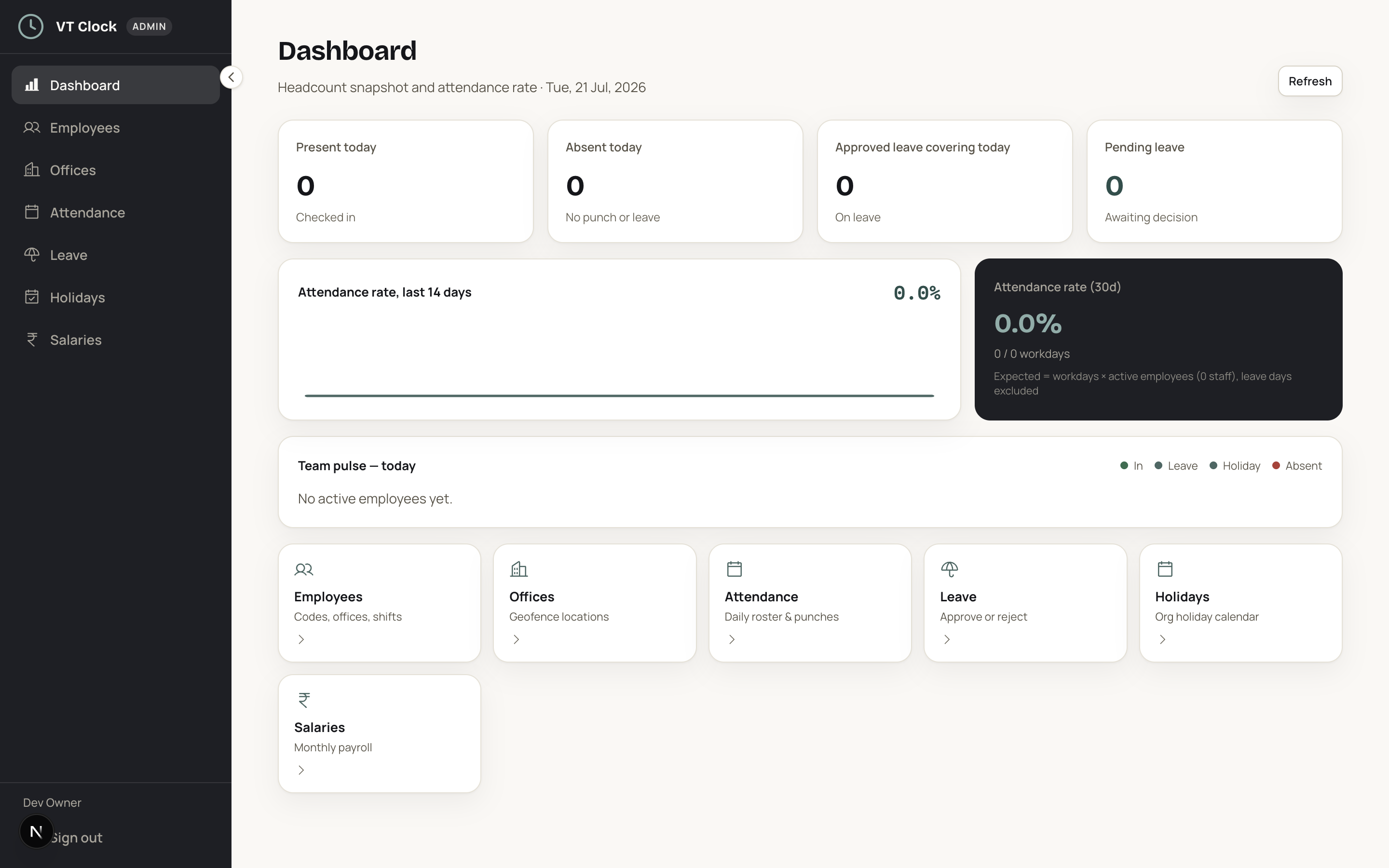
What it does
Monthly pay builds from attendance fractions. A full day counts as one, a half day counts as half, an approved leave day is paid, a loss-of-pay day is not, and a weekly off or a declared holiday is paid without anyone working it. The month's payable days come out of that arithmetic rather than out of a supervisor's memory.
Where a person has taken an advance, the instalment due this month comes off the same figure, so what you hand over and what the record says are one number. What VTClock does not do is the statutory arithmetic. It does not compute or deduct EPF, ESI, professional tax or TDS on salary, it does not generate a challan, and it does not produce Form 16. Those stay with your consultant, and the current rates are worth confirming with them each year.
How it works
01 Enter each person's monthly salary
Every employee record carries the monthly figure the business agreed with that person. Wage-based staff carry a day rate instead. The number goes in once at setup and is changed only when the pay changes, so nobody retypes it every month.
02 Let attendance and approved leave fill the month
Nothing has to be entered daily. Check-ins build the attendance fractions, an admin corrects whatever needs correcting, and the leave decisions already made are part of the same record. By the twenty-eighth the month is largely written.
03 Fix the record before you close
Month end is the moment to deal with the missed check-out, the day someone worked from another site, and the leave request nobody decided. An admin corrects each one on the record. Correcting it there is what makes the salary figure right.
04 Read the payable days and the figure
The month's salary comes out of the payable days, the holidays, the weekly offs and the approved leave, with no separate calculation to keep in step. A day marked loss of pay reduces the figure by exactly its own share of the month.
05 Compare the first month against your own sheet
For the first month, work the salary out both ways: once in the app and once on the sheet you keep now. Where the two disagree, the difference is almost always a day nobody corrected. Fix the record, then stop keeping the sheet from the second month.
Edge cases it handles
A person on salary who never uses the app
A driver or an office boy without a phone he can sign in on has no check-ins, so the record would read his month as absent. An admin marks the days worked on that person's record, and the salary builds from those marks the same way it builds from anyone else's check-ins.
Someone who resigns before payday
A person quits on the nineteenth and stops coming in. The attendance record ends where the check-ins end, so the pro-rata salary for that month covers the days worked up to the nineteenth, and any advance still outstanding shows against the person. What the record does not do is compute a gratuity or a notice-pay settlement for you.
February against a thirty-one day month
February has 28 days and March has 31, and a monthly salary does not change between them. The per-day share does. A day of loss of pay costs more in a short month than in a long one, which is worth explaining to the team once rather than every February.
A weekly off worked to clear a rush
A shop assistant comes in on a weekly off during a festival week. The check-in on that day is on the record like any other. VTClock does not calculate overtime pay or a double rate on its own, so the extra amount you pay for a weekly off worked is handled the way your office already handles it.
Who uses it
Warehouses
A picking floor runs on shift attendance and a headcount that moves with the season. Building pay from the same shift record the supervisor already watches means the month closes without a separate muster sheet being typed up.
Hotels
Front desk, housekeeping and kitchen run on split duties and night duties, and a monthly salary has to sit on top of all of them. One record per person means the figure does not depend on which department head remembers what.
Salons
Stylists take days off on slow weekdays and work through every Saturday. Pay that reads the attendance record and the approved leave keeps the month honest for both sides, which matters in a team small enough that everyone compares figures.
Pharmacies
A counter that stays open late usually runs two shifts and a small team, and the owner works out the salary himself on a Sunday. Reading the month straight off attendance turns that Sunday into a short job.
A worked example
Suppose the business treats a month as 27 payable days and a showroom manager is on INR 32,400. The day share is INR 32,400 / 27 = INR 1,200. She works 24 full days, takes two approved earned leave days that are paid, and comes in for half a day on one more. Payable days come to 26.5, so 26.5 x INR 1,200 = INR 31,800. Had that half day been a full day of loss of pay instead, the month would have read 26 x INR 1,200 = INR 31,200.
Setup checklist
- Enter the agreed monthly salary against every salaried employee record
- Set the weekly offs and the holiday list for the current year
- Switch attendance on first and run it for one full month
- Record any advance already outstanding so the recovery starts this month
- Compare the first month's figures against your own sheet before you retire it
- Keep your consultant in the loop for EPF, ESI and TDS work
Frequently asked questions
Does this handle EPF, ESI and TDS deductions for me?
No. VTClock builds the pay figure from days worked, weekly offs, holidays and approved leave, and stops at that number. The statutory deductions your establishment owes are worked out elsewhere, by whoever already handles your returns, and the rates they apply change from year to year. Ask them what has to come off before you hand the money over, and treat the figure here as the starting point.
How do half days and late marks show up in the monthly figure?
A half day is recorded as half an attendance fraction, so it contributes half a day's share of the salary for that month. A late mark on its own does not reduce pay. Where your rule is that repeated lateness costs a half day, an admin marks the day as a half day and the figure follows that mark, so the deduction sits visibly on the record.
My salaries are all cash in hand. Is this still worth using?
Yes. The figure and the record are the point, and the app has nothing to do with how the money reaches the person. VTClock works out what each person is due from the days on the record and prints the slip that shows it. You still count out the cash on the last day the way you always have. There are no payment rails and no payouts from inside the app.
What is the difference between this and the daily wages module?
Salary is for people on a fixed monthly figure, where the month's pay moves with payable days. Daily wages is for people paid per day worked, where the pay is the day rate multiplied by the days on the record. Both read the same attendance, and a business with a mixed team runs both at once, salaried staff on one basis and crew on the other.
If I correct attendance after the month ends, does the figure change?
Yes. The salary figure is read off the attendance record, so a correction an admin makes to that record changes what the month works out to. This is why the last two or three days of the month are worth spending on the missed check-outs and the undecided leave requests. Fix the record and the figure follows, with nothing to update in parallel.
Other modules
- AttendanceGeofenced check-in and check-out near assigned offices, with shift grace, late marks and overnight shifts handled for you.
- LeaveStaff apply with dates, type and attachments. Approve, reject or mark loss of pay without chasing WhatsApp threads.
- Salary slipsBranded, printable slips with earnings, an attendance summary and advance recovery. Staff see the same figures you print.
- Advance salaryGive an advance when staff need one. Recovery spreads over the following months and shows up on every slip.
- Daily wagesPay wage-based staff per day worked, straight from the attendance record. Built for crews and site work.
Who runs this module
- WarehousesPickers, loaders and forklift operators come through one gate on shifts that overlap by an hour, and half of them are paid by the day.
- HotelsWritten for a property owner paying 40 to 120 people across the front desk, the floors, the lawn and the boiler room.
- SalonsWedding season fills eleven days straight and your two senior stylists have not taken a Monday off since the first.
- PharmaciesThe licence on your wall carries a pharmacist's name, and the book in your drawer cannot say how many of the store's open hours he actually stood in it.
- Retail shopsThere is one of you and there are two shops.
- Manufacturing unitsYour shift in-charge is the only person who knows who stayed back on Tuesday, and by the third of next month nobody can check him.
Terms worth knowing
- Gross salaryGross salary is the total of everything an employee earns for a month before a single deduction is taken off: the fixed structure of basic pay and allowances, plus whatever was...
- Net salaryNet salary is what is left of a month's earnings after every deduction the employer is required or authorised to make has come off.
- Payable daysPayable days are the number of days a monthly salary is spread across, and the number of days in a given month the employee is actually paid for.
- Pro-rata salaryPro-rata salary is the share of a monthly salary an employee earns when they are on the payroll for only part of the month, or on two different salary rates inside it.
- Payroll cycleA payroll cycle is the repeating span a business pays for, together with the two dates that close it: the day attendance stops being counted for that span, and the day the money...
- Loss of payLoss of pay, usually written LOP, is a day an employee is absent with no leave balance or approval to cover it, so the employer pays nothing for that day.
See VTClock on your own team
Send us a message on WhatsApp and we will run one month's salary on your own team's numbers.